Platform Access Guide
Your journey to excellence begins here
Welcome to Royal Certified Masterclass
This guide will assist you in accessing your exclusive educational content with ease. Follow these simple steps to begin your transformative learning experience.
STEP 1: Receive Your Access Credentials
Begin your journey with your exclusive access credentials:
- Check your email inbox for your welcome message from Royal Certified Masterclass
- Locate your personal login credentials (username and password) in this email
- Note the “LOGIN NOW” button that will direct you to our secure platform

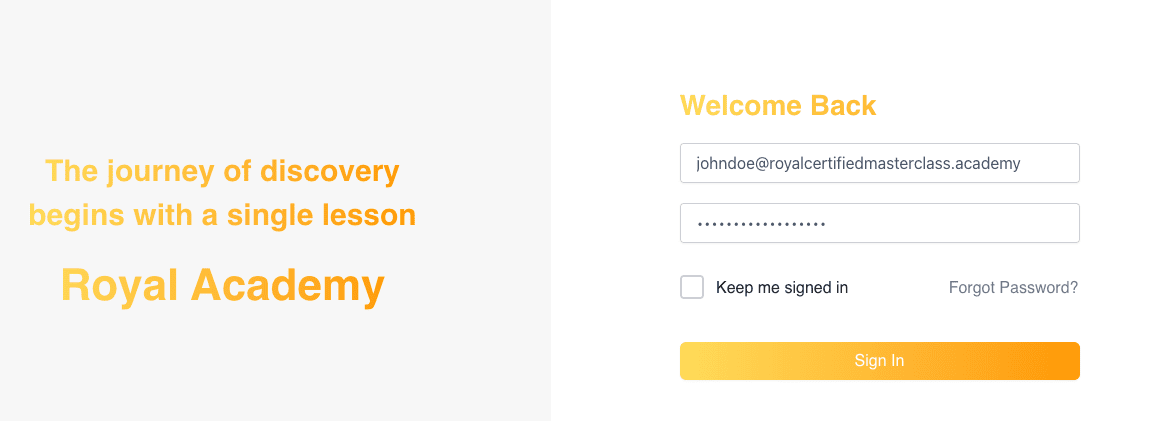
STEP 2: Sign In to Your Account
Access and authenticate to our learning platform:
- Click the “LOGIN NOW” button in your welcome email
- Enter your registered email address in the username field
- Input your designated password exactly as provided in your welcome email
- Optional: Check “Keep me signed in” for convenient access on personal devices
- Click the “Sign In” button to authenticate
Professional Tip: To ensure accuracy, use your device’s copy and paste functionality (Ctrl+C/Cmd+C to copy, Ctrl+V/Cmd+V to paste) when entering your credentials.
STEP 3: Access Your Course Materials
Begin your educational journey immediately:
- Your personalized dashboard displays all enrolled programs
- Select any course title to begin accessing premium content
- Your learning progress is automatically tracked across sessions
- Navigate between modules using the intuitive course interface

Additional Platform Features
Enhance your learning experience with these optional customizations:
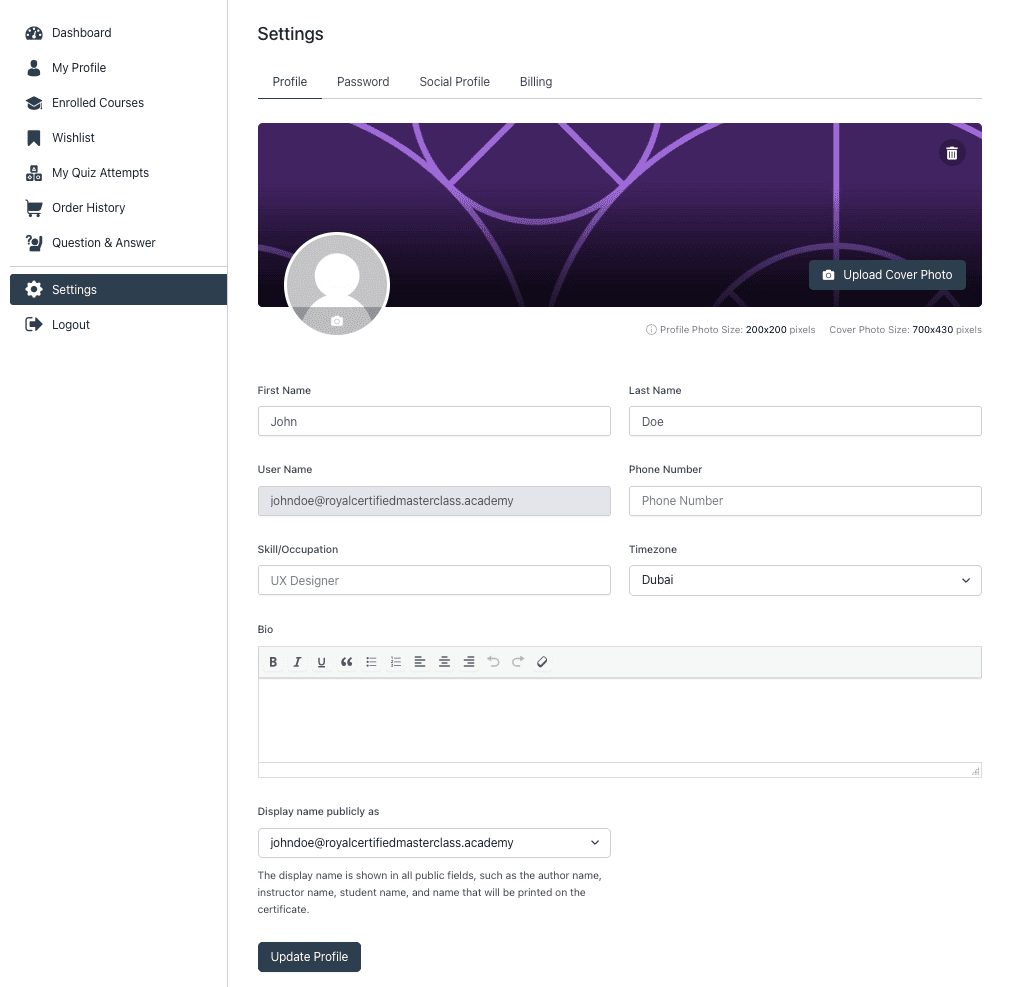
Profile Customization
Personalize your professional presence:
- Navigate to Settings → Profile
- Upload a professional photo
- Complete your biographical information
- Specify your professional credentials
Security Enhancement
Strengthen your account security:
- Access Settings → Password
- Enter your current password
- Create a new, secure password
- Confirm and activate with “Reset Password”

Dedicated Support
Our professional support team is available to assist with any technical inquiries:
Email: [email protected]
Please include your registered email address and a detailed description of your inquiry for expedited assistance.